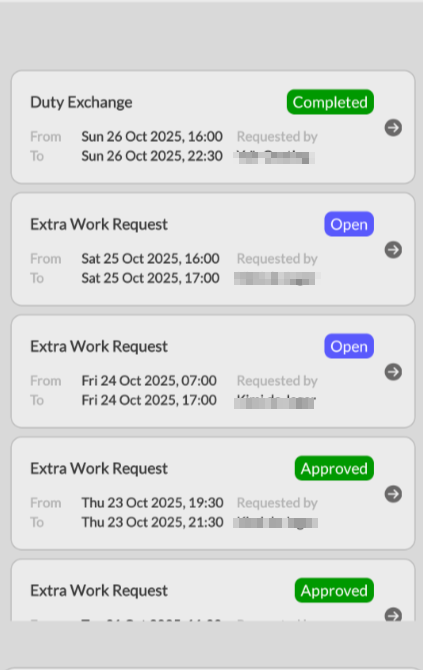
View requests within the app
You can find all your pending and completed requests (such as exchange requests or leave requests) in the FireServiceRota app. To do so, follow these steps:
Step 1.) Go to the app menu by tapping the three horizontal lines in the top left corner.

Step 2.) Go to the ‘Requests’ page.
Step 3.) You will now see an overview of requests you have submitted or requests you are involved in. Green requests are requests that have already been completed and/or approved. Blue requests are requests that are currently still open. Red requests are requests that have failed and/or been rejected. Gray requests are requests that have been withdrawn and/or deleted.