
Widgets in normal mode
The FireServiceRota dashboard is a station's digital information hub. It's customizable with various widgets that display crucial real-time information. Each widget is briefly explained below.
Recent Activity List
The Recent Activity List widget displays recent incidents, incident reports, and attendance reports with customizable columns.

Region Map
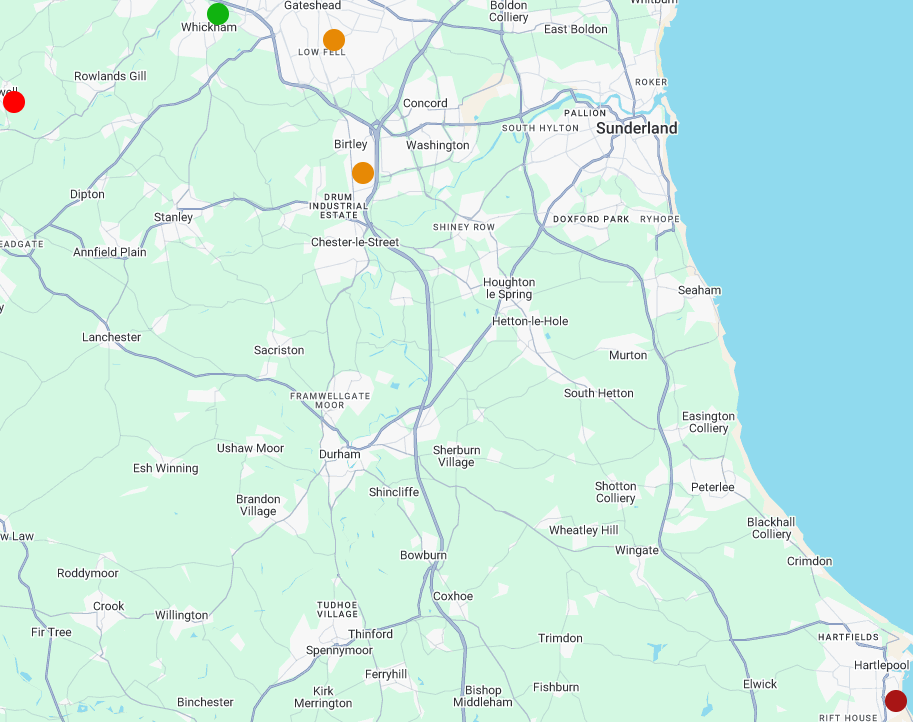
This widget displays a map of all stations in the region, including color-coded crewing alerts. This widget can only be used for regional dashboards.
Announcements
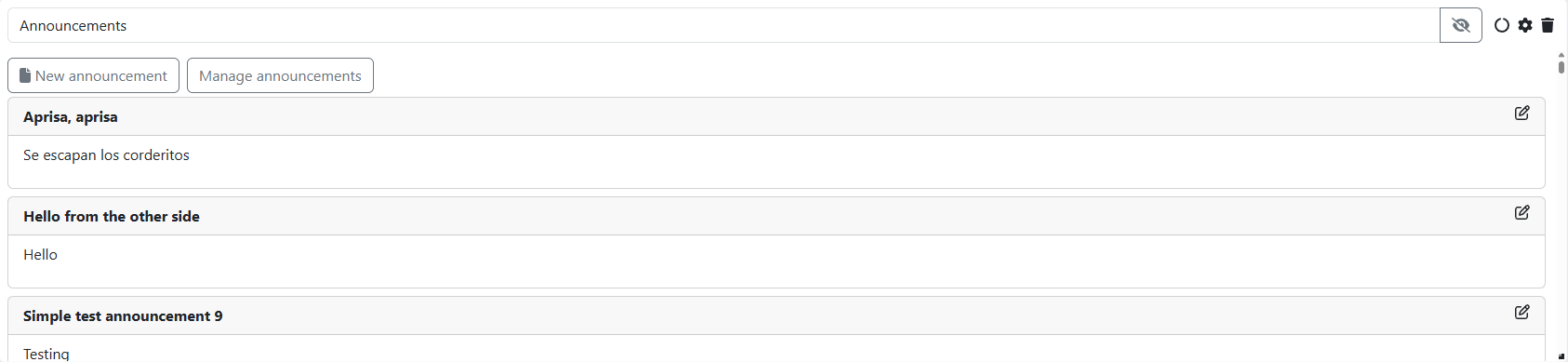
The Announcements widget can be used to display and/or create announcements within a station. The widget displays both text and attached features such as a poll and/or images.
Appliance List
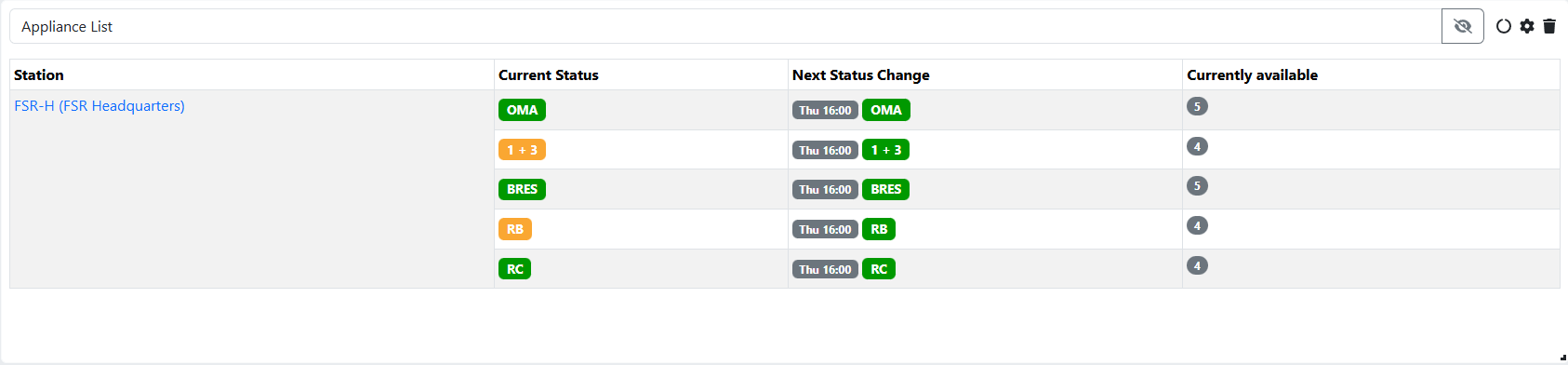
The Appliance List widget provides a clear overview of crewing at station, cluster, and regional level. At a glance, you can see the current status and the next change for all appliances to which you have access.
Available Crew Members
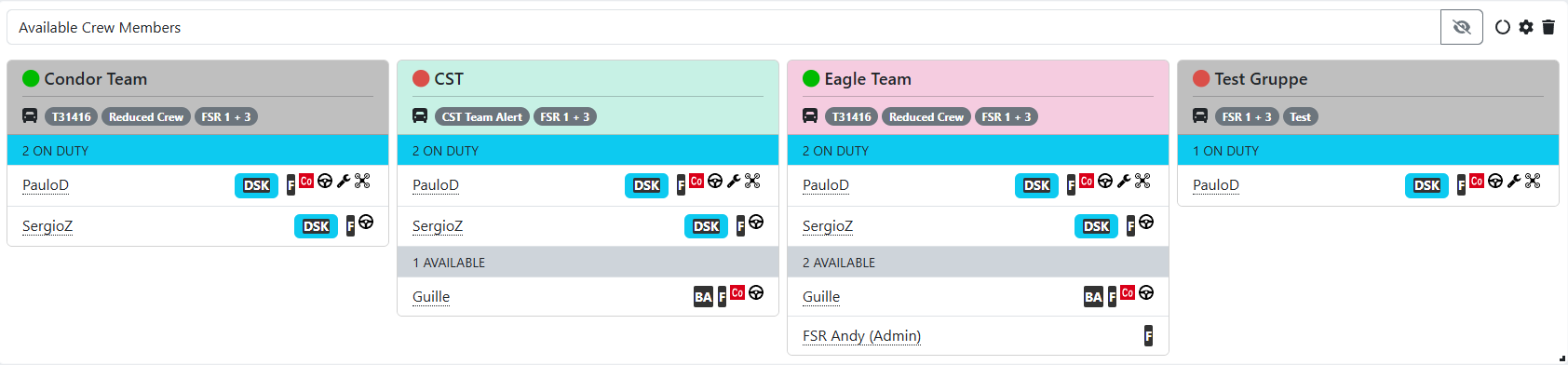
The Available Crew Members widget displays a station's current crew availability. The widget shows which crew members are on standby, who is on standby in specific teams, and any on-call personnel. A person on-call is displayed in a blue frame. The teams automatically scale with the widget; if you make the widget wider, more teams can fit.
Crewing Level Warnings
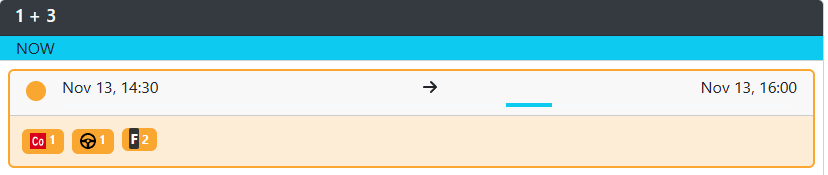
The Crewing Level Warnings widget gives you an at-a-glance forecast of the crewing for the coming days. The widget displays the readiness requirements and the crewing for all appliances at the station. If a appliance is understaffed, the time period is highlighted in red. This widget provides an overview of up to five days ahead. If your station has multiple appliances or checkpoints, you can widen the widget for a better overview.
Contact List
The Contact List widget allows you to display a specific group of people currently on standby. The widget is fully customizable, allowing you to create an overview of on-call staff, for example. This widget offers many possibilities. If you have trouble figuring it out or need help with the settings, please email our helpdesk: helpdesk@fireservicerota.com.

Number of available personnel
The number of available personnel widget shows the total number of available personnel in the stations you have access to. This is measured at two specific times of the day: the standard 10:00 AM (daytime) and 7:00 PM (evening). At these checkpoints, the number of on-call staff with a specific role is displayed. The widget can be customized with filters in a similar way to the contact list widget.

External Website
The widget for an external website is useful for sharing all kinds of information on your dashboard that isn't part of the FireServiceRota widget package. This includes general information such as the weather or local news, as well as station-specific information such as road closures. You can even use the widget for narrowcasting by displaying a presentation within it. The widget automatically refreshes the website after a set period.
Duty Planner
This widget gives you an overview of who is fulfilling a specific on-call role within the station at any given time. This widget mirrors the service planner's display outside the dashboard.
The widget automatically synchronizes with the date you set on the dashboard. If you move the date forward one day, the service planner will automatically adjust accordingly.
