
Suspend user from station
To suspend a user from a station, you must have supervisor rights. Then follow the steps below:
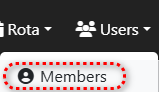
Step 1.) Go to the 'Users' menu and navigate to the 'Members' page.
Step 2.) Press the row of the user you want to suspend on the yellow button to edit the user.

Step 3.) Press the button 'Suspend membership' to suspend the membership. If wanted you can select a date/time from which the suspension will be active.
