Adjust location (GPS) settings in the app
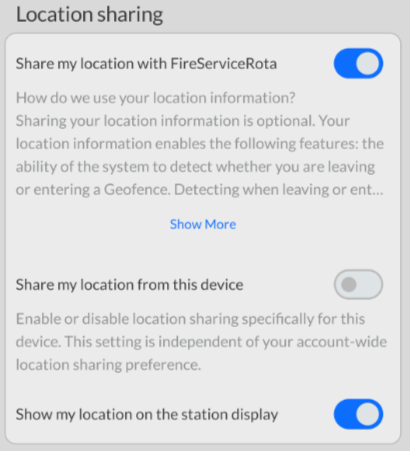
The GPS function of the FireServiceRota app can warn you if you are too far from the station while available and shows your location on the station monitor when you confirm attendance for an alarm. This feature is disabled by default. You can enable it through the app using the following steps:
Step 1.) Press the menu button at the top left to open the menu.

Step 2.) Navigate through the menu to the 'Settings' page.
Step 3.) Change your preferences under the 'Location sharing' section.