Assign contract to user
To assign a contract to a user, follow the steps below:
Step 1.) Go to the user's profile of the user to whom you want to add a contract.
Step 2.) Press the 'Contracts' button under the 'Actions' tab.
Step 3.) Press the 'New Contract' button.

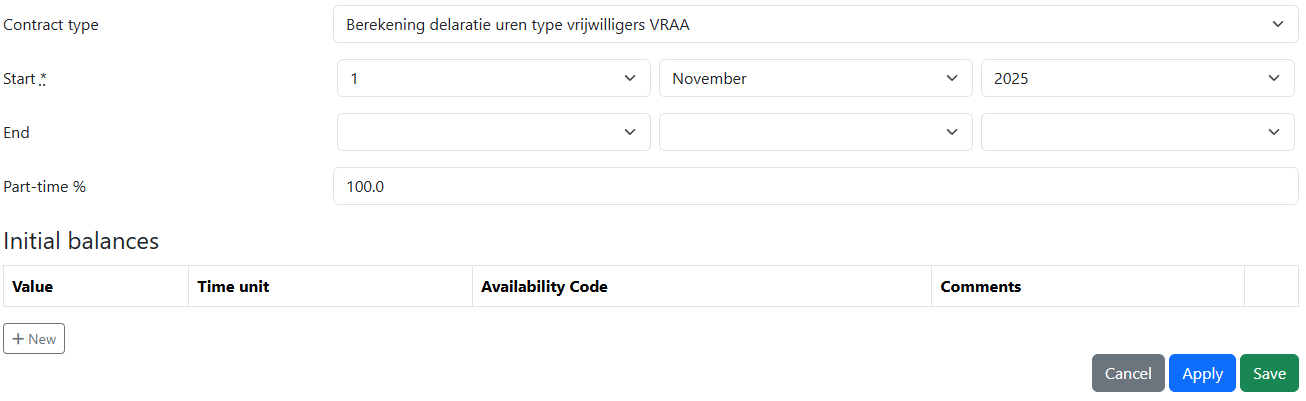
Step 4.) Fill in the contract details and then press the 'Save' button.
- Select the type of contract you want to add.
- Select the start date, and end date. If you do not add an endate then it will be taken as a no end date contract.
- In partime you can set the percentage of the contract.
- Initial balances is if a users is carring any values from a precvious contract.