
Perform temporary team swap via the website
In FireServiceRota, it is possible to temporarily make someone a member of another team. You do this by following the steps below:
Step 1.) Go to the 'Teams' page via the 'Users' menu. In this screen, you can adjust the permanent team memberships. Next to each person's name, there is a button to make temporary exceptions.

Step 2.) Select the date/time from and until when the team swap should apply.
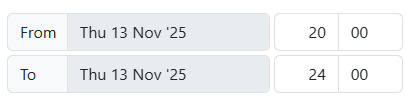
Step 3.) Select the teams where a change needs to be made.

Step 4.) Press the blue 'Save' button to apply the temporary team swap.
