
Make user (un)plannable
To make a user (un)plannable, you must have supervisor rights. Then follow the steps below:
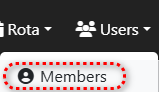
Step 1.) Go to the 'Users' menu and navigate to the 'Members' page.
Step 2.) Press the row of the user you want to make (un)plannable on the yellow button to edit the user.

Step 3.) Press the button at the bottom that applies to your request, optionally set a date in the date/time field on the left when this change should be executed.
